Outsourcing

8 Best ADA Compliance Tools for Shopify, WordPress & Ecommerce Sites (2026)

Compare the best ADA compliance tools for long-term WCAG compliance and ecommerce accessibility.
Published on July 16, 2026
Modified on July 16, 2026
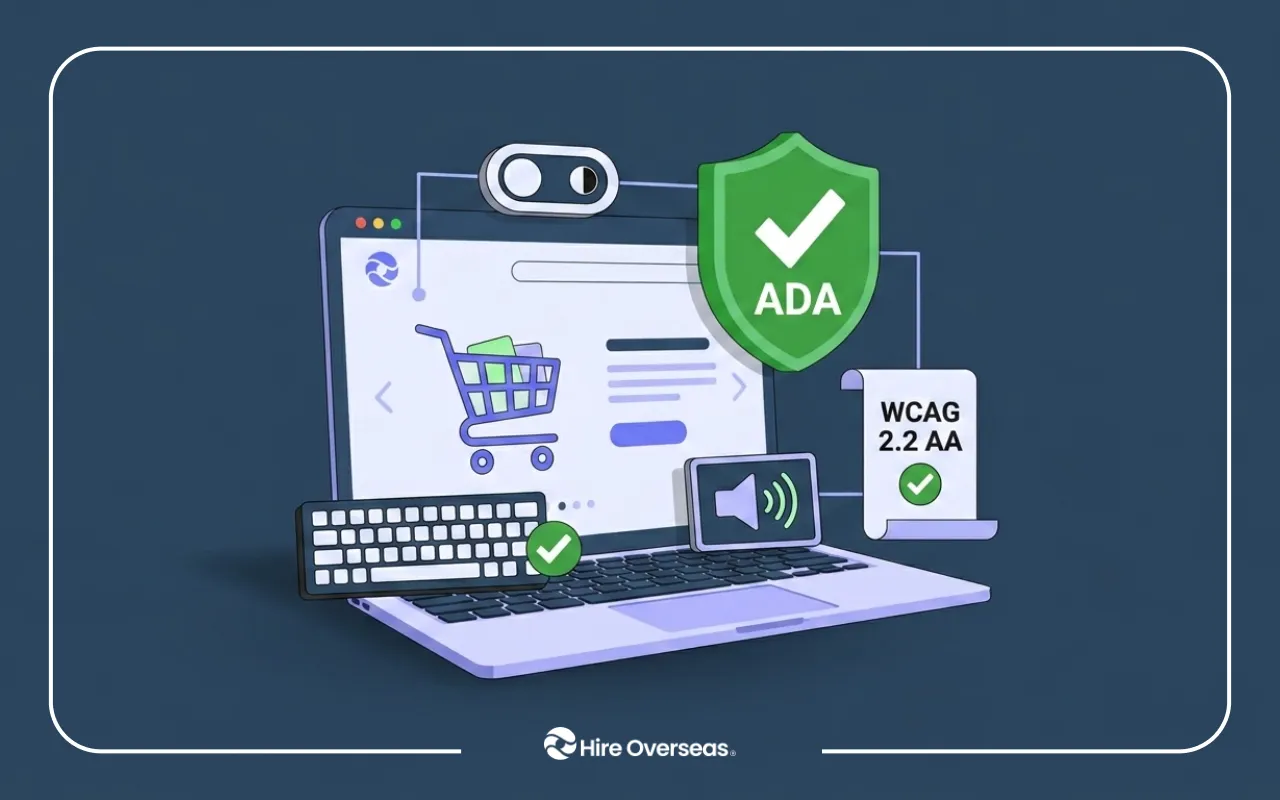
Illustration of a laptop displaying an online shopping website with accessibility features, including a keyboard, audio icon, privacy toggle, ADA compliance shield, and a WCAG 2.2 AA certification badge, representing an accessible e-commerce experience. The Hire Overseas logo appears at the bottom.

Key Summary

The best ADA compliance tool depends on whether you need to identify accessibility issues, continuously monitor your website, or remediate accessibility problems in your source code. TestParty is our top recommendation for businesses seeking AI-powered, code-level remediation backed by accessibility experts, while tools like axe DevTools, WAVE, and Siteimprove excel at testing and monitoring. Accessibility overlays may improve the browsing experience, but they shouldn't be treated as a complete ADA compliance solution.

Website accessibility stopped being optional for ecommerce businesses a long time ago. ADA website accessibility lawsuits continue to target online retailers, often because of common issues like inaccessible navigation, missing form labels, or checkout flows that don't work with keyboards or screen readers. Although the Americans with Disabilities Act (ADA) doesn't specify a technical standard, courts consistently reference Web Content Accessibility Guidelines (WCAG) 2.2 Level AA when evaluating website accessibility. The challenge isn't deciding to improve accessibility. It's choosing an ADA compliance tool that actually fixes accessibility issues instead of simply identifying or masking them.

Why We Built This List and How We Evaluated ADA Compliance Tools:

One of the biggest misconceptions about website accessibility is that every ADA compliance tool does the same thing. In reality, not every platform approaches accessibility the same way. Our goal is to compare ADA compliance tools based on what they genuinely help businesses accomplish, not simply the number of features they advertise.

How We Picked: 

Each ADA accessibility compliance tool was evaluated using the criteria businesses, developers, and compliance teams typically consider when improving website accessibility:

  • WCAG 2.2 testing capabilities and issue detection
  • Manual accessibility expertise and audit support
  • Continuous monitoring and regression detection
  • Developer workflow integrations (GitHub, CI/CD, CMS compatibility)
  • Shopify, WordPress, and custom website support
  • Compliance documentation and reporting
  • Pricing transparency
  • Suitability for different business sizes and technical teams

But the most important distinction that influenced our evaluation: code-level remediation vs. accessibility overlays.

Overlays add a JavaScript layer that provides accessibility features in the browser but doesn't modify a website's underlying HTML, CSS, or JavaScript, meaning many WCAG issues can remain. 

By contrast, remediation platforms fix accessibility issues directly in the source code, creating a stronger foundation for long-term compliance. This distinction became even more significant after the FTC's $1 million settlement with accessiBe in 2025 over claims that its overlay could make websites WCAG compliant. 

That's why we placed greater emphasis on platforms that combine code-level remediation, manual accessibility expertise, and continuous monitoring.

Editorial Disclosure: This guide compares leading ADA compliance tools based on their approach to accessibility, remediation capabilities, pricing, and business fit. We evaluated each platform independently to help businesses choose the right solution for achieving and maintaining long-term website accessibility.

The 8 Best ADA Compliance Tools at a Glance

Tool Primary Approach Code-Level Remediation Best For Pricing
TestParty AI-powered code remediation + certified accessibility experts ✅ Yes Ecommerce businesses seeking long-term, code-level ADA compliance From ~$1,000/month (custom)
Deque axe DevTools Automated accessibility testing ⚠️ Developer fixes required Development teams integrating accessibility into CI/CD Free; Pro from ~$40/user/month
AudioEye Managed accessibility platform ⚠️ Partial (service-dependent) SMBs wanting expert-assisted accessibility remediation $49–$799/month
Level Access Enterprise accessibility management ✅ Yes Large organizations requiring governance, audits, and accessibility programs Custom (Enterprise)
UsableNet AQA Automated scanning + expert accessibility QA ⚠️ Guided remediation Regulated industries and enterprise ecommerce From ~$1,000/month (estimated)
Siteimprove Accessibility monitoring & digital governance ❌ No (monitoring only) Large content-heavy websites managing accessibility at scale Custom
WAVE (WebAIM) Free accessibility scanner ❌ No (scanner only) Quick WCAG audits and manual accessibility checks Free
accessiBe Accessibility overlay ❌ No (browser overlay) Small businesses looking for a temporary accessibility widget From $59/month

1. TestParty – Best Overall ADA Compliance Tool

TestParty Overview
Best For Shopify, WordPress, and ecommerce businesses seeking long-term ADA compliance through code-level accessibility remediation.
Business Stage ⭐ Startup • ⭐ SMB • ⭐ Enterprise
Pricing Custom pricing. Third-party comparisons estimate engagements begin around $1,000/month, depending on website size, complexity, and remediation scope.
Approach AI-powered code remediation combined with certified accessibility experts who remediate issues directly in your website's source code.
Monitoring Continuous accessibility monitoring with integrations for GitHub, GitLab, and Bitbucket to support ongoing compliance throughout the development lifecycle.
Notable Strength Code-level accessibility remediation integrated directly into the development workflow, helping teams address underlying WCAG issues rather than relying on browser overlays.

Why Businesses Choose TestParty

TestParty combines AI-powered code remediation, certified accessibility experts, and continuous monitoring into one platform. Unlike scanners or overlays, it fixes accessibility issues directly in your source code while integrating accessibility into your development workflow, making it our top recommendation for businesses pursuing long-term WCAG compliance.

How It Works

Automated scanning identifies WCAG issues across your website, while Bouncer reviews pull requests inside GitHub, GitLab, and Bitbucket before code reaches production. Spotlight continuously monitors your live website, and CPACC-certified accessibility experts validate findings, perform manual audits, and ensure remediation is implemented directly in your source code.

Pros

  • AI-assisted code remediation backed by certified accessibility experts
  • Fixes accessibility issues directly in source code
  • GitHub, GitLab, and Bitbucket integrations
  • Continuous accessibility monitoring
  • Excellent for Shopify, WordPress, and custom ecommerce websites

  • Built for long-term WCAG compliance rather than one-time scans

Cons

  • Custom pricing
  • Best suited for organizations committed to ongoing accessibility

[new-blog-cta_component-2]

2. Deque axe DevTools

Deque axe DevTools Overview
Best For Development teams integrating accessibility testing into CI/CD workflows and software development lifecycles.
Business Stage ⭐ Startup • ⭐ SMB • ⭐ Enterprise
Pricing Free browser extension. Pro plans start at approximately $40–45 per user/month (or $409–500 per user/year), with Enterprise pricing available.
Approach Automated accessibility testing and developer-focused tooling built for identifying WCAG issues during development.
Monitoring Supports automated accessibility testing through CI/CD integrations and continuous testing within the software development pipeline.
Notable Strength Powered by the industry-leading axe-core accessibility engine, widely adopted by development teams for accurate automated accessibility testing.

Why Businesses Choose Deque axe DevTools

Deque axe DevTools is one of the industry's most trusted ADA compliance testing tools, helping developers identify WCAG issues early through browser testing and CI/CD integrations before code reaches production.

How It Works

Deque scans webpages using the axe-core accessibility engine and maps findings directly to relevant WCAG success criteria. It integrates with browser extensions, automated testing frameworks, and CI/CD pipelines so accessibility testing becomes part of the software development lifecycle.

Pros

  • Industry-leading accessibility testing engine
  • Excellent CI/CD and developer workflow integrations
  • Free browser extension
  • Supports automated and guided WCAG testing
  • Strong documentation and developer resources

Cons

  • Doesn't remediate accessibility issues
  • Requires developer resources to implement fixes
  • Better suited to technical teams than non-technical organizations

3. AudioEye

AudioEye Overview
Best For Small and mid-sized businesses looking for a managed website accessibility program with ongoing expert support.
Business Stage ⭐ SMB • ⭐ Enterprise
Pricing Approximately $49–$799/month, depending on website size and managed service tier. Enterprise pricing is available for larger organizations.
Approach Managed accessibility platform that combines automated detection with expert remediation and accessibility services.
Monitoring Continuous accessibility monitoring with ongoing expert validation to help identify and prioritize new issues as websites evolve.
Notable Strength Combines automated accessibility technology with managed human expertise to help organizations improve and maintain accessibility over time.

Why Businesses Choose AudioEye

AudioEye combines automated accessibility testing with expert-led services, making it a strong option for businesses that prefer a managed accessibility program instead of handling remediation entirely in-house.

How It Works

AudioEye continuously scans websites for accessibility issues while accessibility specialists validate findings, perform manual testing, and support remediation. Higher-tier plans include accessibility audits, VPAT documentation, compliance reporting, and ongoing monitoring.

Pros

  • Combines automation with accessibility experts
  • Continuous monitoring and reporting
  • VPAT and compliance documentation
  • Strong managed accessibility offering

Cons

  • Pricing increases significantly with higher service tiers
  • Automated functionality alone doesn't address every accessibility issue
  • Source-code remediation depends on service level

4. Level Access

Level Access Overview
Best For Enterprise organizations requiring comprehensive accessibility governance, compliance management, and organization-wide accessibility programs.
Business Stage ⭐ Enterprise
Pricing Custom enterprise pricing. Third-party estimates suggest large-scale engagements can exceed $250,000, depending on implementation scope, consulting services, and organizational requirements.
Approach Enterprise accessibility management platform combining governance, testing, remediation guidance, consulting, and compliance oversight.
Monitoring Continuous accessibility monitoring supported by audits, governance workflows, reporting dashboards, and ongoing compliance management.
Notable Strength Comprehensive accessibility governance platform backed by consulting, training, policy development, and enterprise-scale compliance management.

Why Businesses Choose Level Access

Level Access helps large organizations build and manage enterprise-wide accessibility programs through automated testing, expert audits, governance tools, compliance reporting, and accessibility training.

How It Works

Level Access combines automated WCAG testing with manual accessibility audits, usability testing, compliance documentation, VPAT creation, developer guidance, and organization-wide governance tools. Teams can continuously monitor accessibility while managing remediation across multiple websites, applications, and departments.

Pros

  • Comprehensive enterprise accessibility program
  • Expert accessibility audits and usability testing
  • VPATs, compliance reporting, and governance tools
  • Accessibility training for development teams
  • Strong consulting and legal readiness

Cons

  • Enterprise pricing
  • More comprehensive than most SMBs require
  • Longer implementation and onboarding process

5. UsableNet AQA

UsableNet AQA Overview
Best For High-traffic ecommerce websites, regulated industries, and organizations requiring ongoing accessibility validation alongside automated testing.
Business Stage ⭐ SMB • ⭐ Enterprise
Pricing Custom pricing. Third-party estimates place the AQA platform at approximately $1,000/month, depending on website size, testing scope, and service requirements.
Approach Automated accessibility scanning combined with expert quality assurance (QA) validation to identify and prioritize accessibility issues.
Monitoring Ongoing accessibility testing supported by continuous QA validation and recurring reviews as websites evolve.
Notable Strength Human-verified accessibility testing integrated into QA workflows, helping organizations supplement automated scans with expert accessibility review.

Why Businesses Choose UsableNet AQA

UsableNet AQA combines automated accessibility scanning with expert validation, helping organizations integrate accessibility testing into existing QA and release processes while improving long-term WCAG compliance.

How It Works

AQA performs scheduled accessibility scans across websites, then accessibility specialists validate findings using screen readers, keyboard navigation, and manual testing. The platform prioritizes issues, provides remediation guidance, and tracks accessibility improvements over time.

Pros

  • Combines automated testing with human validation
  • Strong QA and release workflow integration
  • Continuous accessibility monitoring
  • Well suited to enterprise ecommerce
  • Legal support and remediation services available

Cons

  • Custom pricing
  • Best suited for organizations with structured QA processes
  • Doesn't focus on automated code remediation

6. Siteimprove

Siteimprove Overview
Best For Large websites and organizations that need continuous accessibility monitoring alongside broader website governance.
Business Stage ⭐ SMB • ⭐ Enterprise
Pricing Custom pricing. Third-party purchasing data suggests annual contracts commonly range from approximately $10,000–$100,000+, depending on website size, traffic, and selected product modules.
Approach Enterprise accessibility monitoring platform combined with digital governance, content quality management, and website optimization tools.
Monitoring Enterprise-scale website crawling, automated issue detection, reporting dashboards, and ongoing accessibility issue tracking.
Notable Strength Combines accessibility monitoring with SEO, content quality, analytics, and digital governance to help organizations manage large, complex websites from a single platform.

Why Businesses Choose Siteimprove

Siteimprove helps organizations continuously monitor accessibility across large websites while combining accessibility reporting, content quality, SEO, and governance into a single platform.

How It Works

Siteimprove regularly crawls websites, evaluates pages against WCAG standards, prioritizes issues by severity, and generates accessibility dashboards for technical and business teams. Organizations can assign issues, monitor progress, and track compliance across thousands of webpages.

Pros

  • Enterprise-grade accessibility monitoring
  • Excellent reporting and dashboards
  • Combines accessibility with SEO and content governance
  • Continuous website crawling
  • Strong stakeholder reporting

Cons

  • Requires development resources to implement fixes
  • Enterprise pricing
  • Primarily focused on monitoring rather than remediation

7. WAVE (WebAIM)

WAVE (WebAIM) Overview
Best For Developers, designers, marketers, and businesses performing quick accessibility audits and manual WCAG evaluations.
Business Stage ⭐ Startup • ⭐ SMB • ⭐ Enterprise
Pricing Free.
Approach Visual accessibility scanner that identifies common accessibility issues directly on rendered web pages.
Monitoring Manual, page-by-page accessibility testing performed through the browser extension or online evaluation tool.
Notable Strength One of the most widely trusted free accessibility evaluation tools for quickly identifying common WCAG issues and supporting manual accessibility reviews.

Why Businesses Choose WAVE

WAVE is one of the most trusted free ADA website compliance checker tools, making it ideal for quickly identifying common WCAG issues without requiring a paid subscription.

How It Works

WAVE analyzes individual webpages and visually overlays accessibility issues directly on the page. It highlights common WCAG violations such as missing alternative text, heading structure problems, ARIA errors, and color contrast failures, while linking each issue to relevant accessibility guidance.

Pros

  • Completely free to use
  • Excellent for manual accessibility reviews
  • Easy-to-understand visual interface
  • Trusted throughout the accessibility community
  • Great educational tool for developers and designers

Cons

  • Manual page-by-page testing only
  • Doesn't remediate accessibility issues
  • No continuous monitoring or enterprise reporting

8. accessiBe

accessiBe Overview
Best For Small businesses looking for a fast accessibility widget while planning broader accessibility improvements.
Business Stage ⭐ Startup • ⭐ SMB
Pricing From $59/month (or approximately $490/year when billed annually), with pricing scaling based on monthly website traffic.
Approach Browser-based accessibility overlay designed to improve the user experience without modifying the website's underlying source code.
Monitoring Automated browser-side adjustments that continually scan and apply accessibility modifications as visitors browse the site.
Notable Strength Fast deployment with minimal technical setup, making it easy for businesses to add accessibility features while planning more comprehensive accessibility improvements.

Why Businesses Choose accessiBe

accessiBe provides one of the quickest ways to add accessibility controls to a website through a browser-based overlay. It's best suited for businesses that understand an overlay is only one part of a broader accessibility strategy.

How It Works

After installing a JavaScript snippet, accessiBe adds an accessibility interface that allows visitors to adjust contrast, text size, spacing, and other display settings. An AI process attempts to improve screen reader and keyboard compatibility, but the changes occur in the browser and do not modify the underlying source code.

Pros

  • Fast implementation
  • Low entry cost
  • User-friendly accessibility controls
  • Minimal technical setup
  • Suitable for small websites seeking an immediate accessibility menu

Cons

  • Doesn't remediate accessibility issues in source code
  • Pricing increases as website traffic grows
  • Browser-based changes don't replace code-level accessibility fixes
  • Shouldn't be relied on as a complete ADA compliance solution

Which ADA Compliance Solution Is Right for Your Business?

Price and install time are the easiest things to compare, but they're rarely the most important. The better question is whether a tool helps you build and maintain an accessible website over the long term. Here are five questions every business should ask before choosing an ADA compliance solution.

“Does it fix the source code or just the rendered page?”

Important to ask if you...

  • Don't have an accessibility expert or dedicated development team
  • Want a long-term ADA compliance solution instead of a temporary fix

Not every ADA compliance tool works the same way. Some use accessibility overlays that modify how a page appears in the browser, while others remediate accessibility issues directly in your website's HTML, CSS, JavaScript, and components. Code-level remediation creates lasting improvements that remain as your website evolves.

Recommended approach: Choose a code-level remediation platform like TestParty, if your goal is long-term WCAG compliance rather than a browser-based workaround.

“Is human expertise part of the process?”

Important to ask if you...

  • Need confidence that accessibility issues are actually being resolved
  • Don't have in-house accessibility specialists

Automated accessibility scanners like WAVE, Deque axe DevTools, and Google Lighthouse quickly identify common WCAG issues, but they can't detect everything. Keyboard navigation, screen reader usability, dynamic content, and complex ecommerce interactions still require manual testing.

Recommended approach: Choose a platform that combines automation with certified accessibility experts instead of relying entirely on automated scans.

“Does it cover your entire purchase journey?”

Important to ask if you...

  • Run an ecommerce website
  • Regularly add products, landing pages, or promotions

Accessibility problems often appear in product search, filters, shopping carts, account pages, and checkout—not just on the homepage. Every step of the customer journey should be accessible.

Recommended approach: Choose a solution that evaluates and remediates your entire purchasing experience, not just individual pages.

Will it keep your website compliant as you continue shipping updates?

Important to ask if you...

  • Frequently release new features or redesigns
  • Want accessibility built into your development workflow

Accessibility isn't a one-time project. Every update can introduce new WCAG issues. Continuous monitoring and CI/CD integrations help catch problems before they reach production.

Recommended approach: Look for continuous accessibility monitoring with developer workflow integrations.

Can it produce evidence of your accessibility efforts?

Important to ask if you...

  • Want to reduce legal risk
  • Need documentation for internal or external compliance reviews

Audit reports, remediation history, and ongoing monitoring demonstrate that accessibility is being managed as an ongoing process rather than a one-time project.

Recommended approach: Choose a platform that provides manual audits, remediation tracking, and continuous reporting alongside accessibility improvements.

Accessibility Is an Ongoing Investment, Not a One-Time Project

The best ADA compliance tool helps you build accessibility into your website as it evolves—not just identify issues once. That's why TestParty is our top recommendation for its code-level remediation, accessibility expertise, and continuous monitoring. Schedule a demo with TestParty to see it in action.

Need the team to build and maintain an accessible website? Schedule a demo with Hire Overseas to hire vetted developers, QA engineers, and ecommerce specialists who can support your long-term accessibility goals.

This comparison is based on publicly available vendor documentation, pricing pages, WCAG 2.2 standards from the W3C, ADA guidance from the U.S. Department of Justice (DOJ), the FTC's 2025 accessibility settlement, and independent research from sources including Vendr, TrustRadius, GetApp, and G2. Pricing and product features may change over time, so businesses should verify the latest information directly with each provider.

[new-blog-cta_component-3]

Table of contents
Share this post

Unlock Global Talent with Ease

Hire Overseas streamlines your hiring process from start to finish, connecting you with top global talent.

Schedule A Call
Have questions? We've got answers.

FAQs About ADA Compliance Tools

What's the best ADA compliance tool for an online store in 2026?

The best ADA compliance tool is one that helps you identify, remediate, and continuously monitor accessibility issues as your website evolves. For most Shopify, WordPress, and custom ecommerce websites, TestParty is our top recommendation because it combines AI-powered code-level remediation, certified accessibility experts, and continuous monitoring to support long-term WCAG 2.2 compliance.

How do I check if my website is ADA compliant?

The fastest way to check your website is with an ADA website compliance checker tool. TestParty includes automated accessibility scanning as part of its platform, helping businesses identify issues while also providing code-level remediation and expert validation. Free tools like WAVE, Deque axe DevTools, and Google Lighthouse are also excellent for identifying common WCAG issues, but automated testing alone cannot verify full compliance. Businesses subject to ADA Title III should also perform manual accessibility testing against WCAG 2.2 Level AA.

Do accessibility overlays or widgets make my website ADA compliant?

No. Accessibility overlays can improve certain user controls, but they don't remediate accessibility issues in your website's underlying HTML, CSS, or JavaScript. The FTC's 2025 settlement with accessiBe reinforced that overlays should not be marketed as guaranteed ADA compliance solutions. Businesses pursuing long-term accessibility should prioritize ADA compliance solutions built around code-level remediation, expert testing, and continuous monitoring.

What does ADA compliance actually require for ecommerce websites?

Although the Americans with Disabilities Act (ADA) doesn't prescribe a specific technical standard, courts commonly reference WCAG 2.2 Level AA when evaluating website accessibility. For ecommerce businesses, that means ensuring the entire customer journey—including navigation, search, product pages, shopping cart, and checkout—works properly for keyboard users and people using assistive technologies.

How often should I test my website for accessibility?

Accessibility isn't a one-time project. Every new product, landing page, theme update, plugin, or checkout change can introduce new accessibility issues. The best ADA compliance testing tools support continuous monitoring and developer workflows, helping businesses identify and remediate new issues before they affect users or create compliance risks.

Unlock Global Talent with Ease

Hire Overseas streamlines your hiring process from start to finish, connecting you with top global talent.

Schedule A Call
Great strategies start with the right people.
Find out how you can access world-class talent and scale your business.
Book A Free Consultation
Great strategies start with the right people.
Find out how you can access world-class talent and scale your business.
Book A Free Consultation
Build an Accessibility-Ready Development Team
Hire pre-vetted developers, QA engineers, and ecommerce specialists who understand accessibility best practices and can support long-term WCAG compliance alongside your internal team.
Great strategies start with the right people.
Find out how you can access world-class talent and scale your business.
Book A Free Consultation
Build an Accessible Website That Stays Compliant
TestParty helps you remediate accessibility issues at the source, while Hire Overseas helps you build the development and QA team needed to maintain accessibility as your website evolves.
Great strategies start with the right people.
Find out how you can access world-class talent and scale your business.
Book A Free Consultation